Jira users
You can use one Jira account for all three roles, or separate accounts for
assigner, executor, and reviewer.
Working with a single account (yours)
Create just one token for your own account (follow
Jira tokens → Token setup). Then put that same email and
token into all three roles in .jst/jira-sdlc-tools.local.env:
JIRA_ASSIGNER_*, JIRA_EXECUTOR_* and JIRA_REVIEWER_* all get the same pair.
This is the quickest setup. The trade-off is that the board shows every
transition and comment as coming from you, not from a specific role.
Multiple roles
Create three additional users in your Atlassian organization, one per role. This fits the free tier, which allows up to 10 users per organization.
-
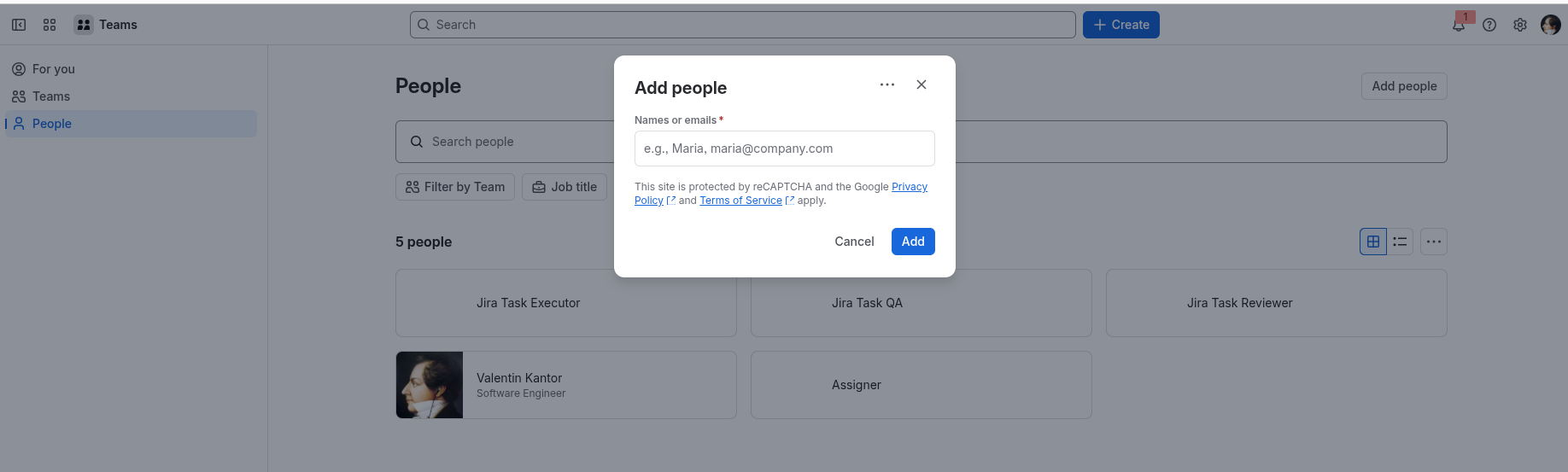
Go to Teams → People → Add people.
-
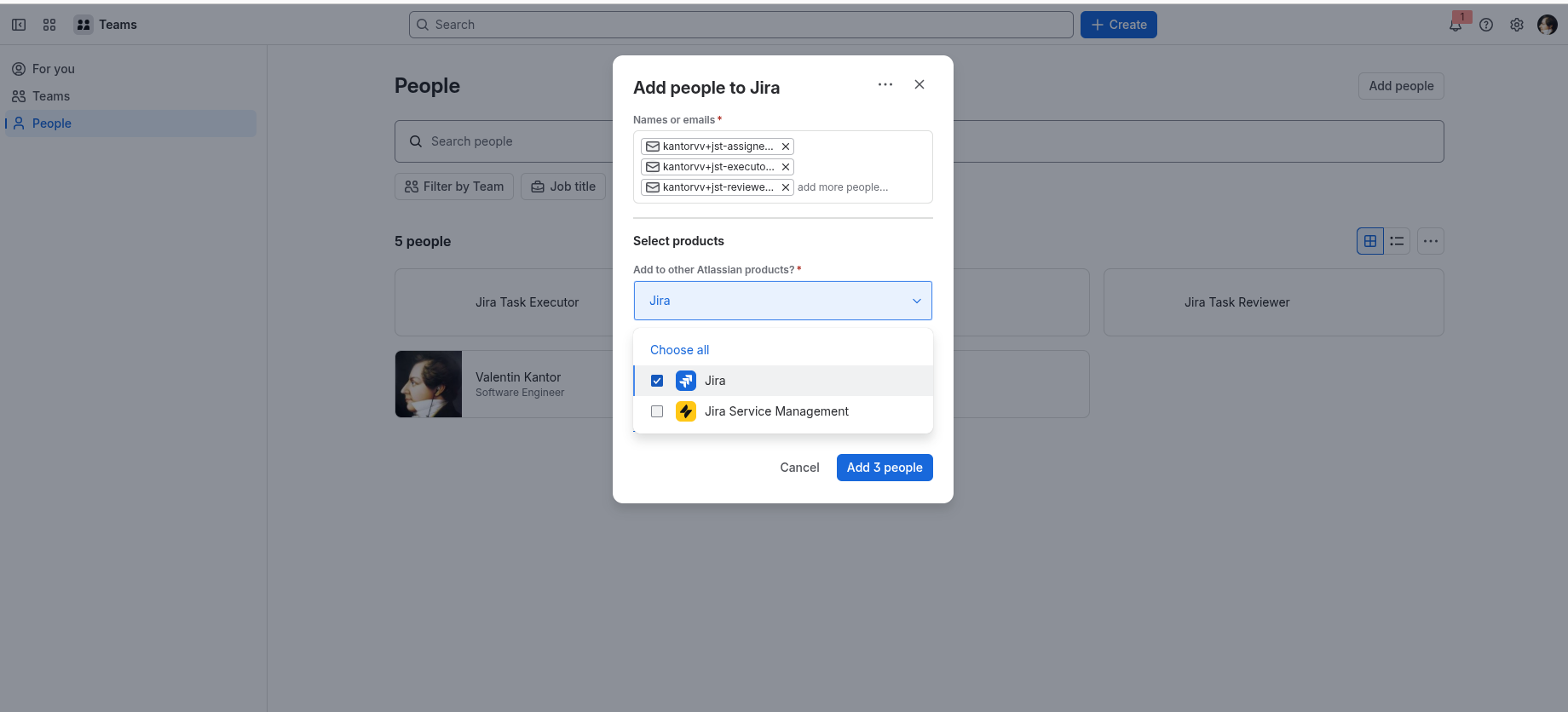
In Names or emails, enter all three addresses. They don't need three mailboxes: with Gmail, a
+suffix delivers to your own inbox, so every role can point at your account:yourusername+jira-task-assigner@gmail.comyourusername+jira-task-executor@gmail.comyourusername+jira-task-reviewer@gmail.com
Each role still gets its own Atlassian user, while every invitation and notification arrives in one inbox.
-
Under Select products, choose Jira. In the Jira space dropdown, don't select anything.
-
Click Add 3 people.
Next, Jira tokens walks through accepting the three invitations and creating one API token per user.